|
Recover partitions & deleted files |
  
|
|
Recover partitions & deleted files |
|
Click Preview on the main board.
Select a Restore Point,

Recover deleted files
Click Open.
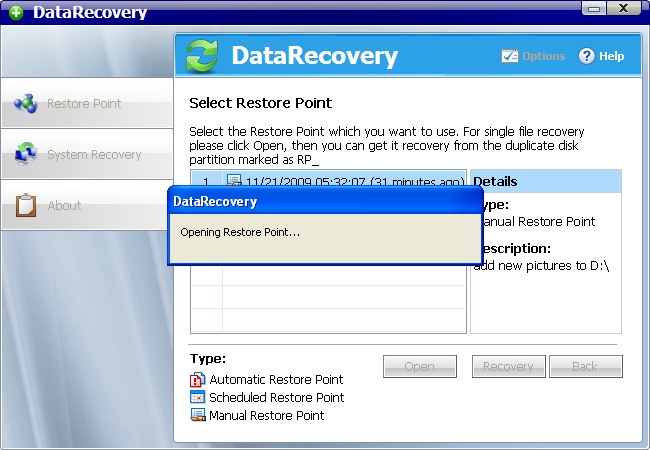 ]
]
Automatically open "My Computer". You can recover the deleted files from the duplicate partitions named as RP_C, RP_D, etc.
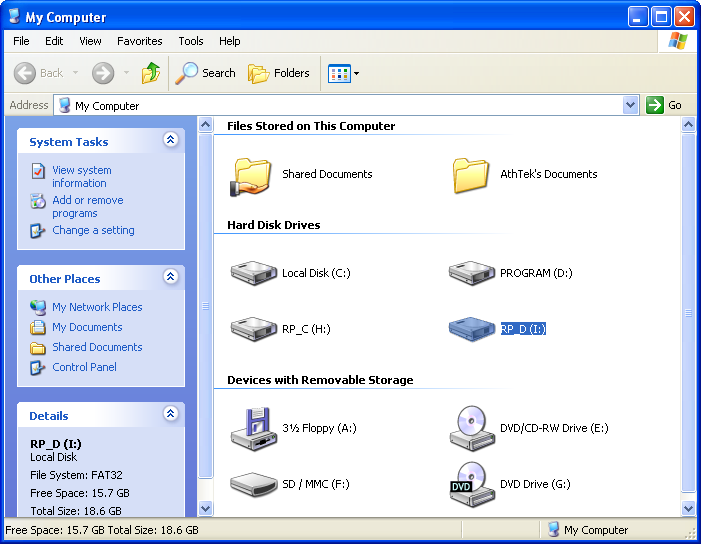
Recover partitions
Back to the Restore Point selection step. Select one of the Restore Points, then click Recovery.

Click Advanced to select the partitions you want to recover.
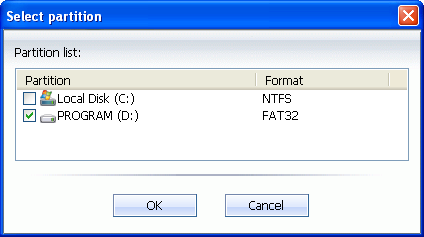
Click OK. Then click Recovery to start Partitions Recovery.
Warning: Once click on the Recovery button in last step, the process would NOT be able to stop.